In odoo version 14.0, you cannot see Replenish on Order (MTO) in the product configuration. In order to promote the usage of the reordering rule, odoo has kept the MTO archived.
In this blog, we will see how to activate MTO.
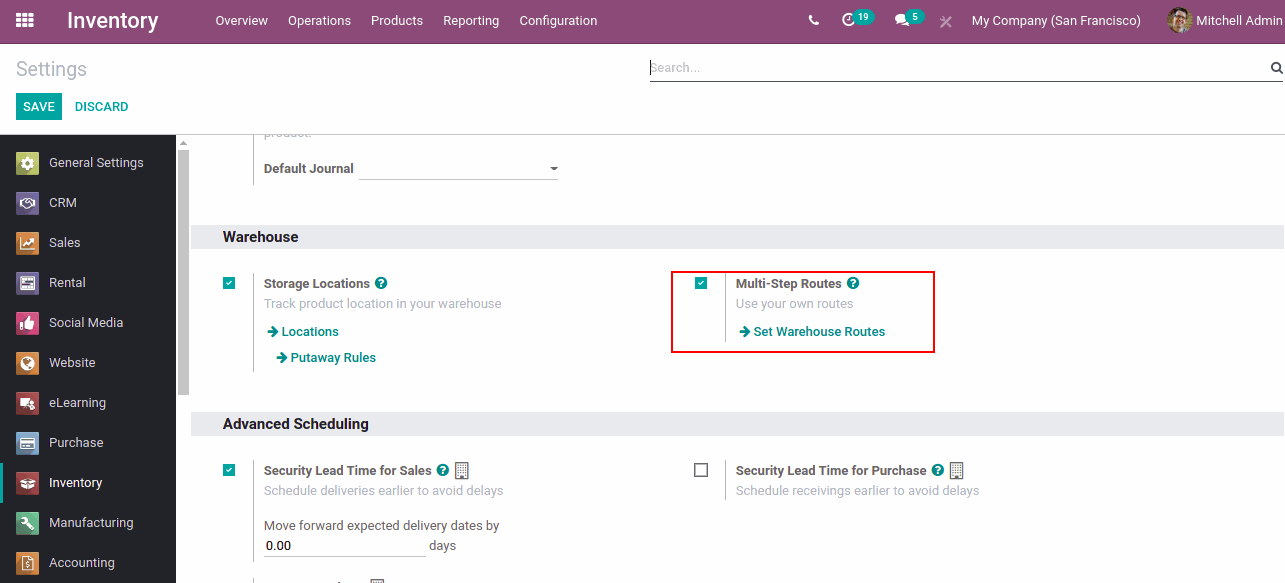
Go to inventory settings and activate Multi step routing.
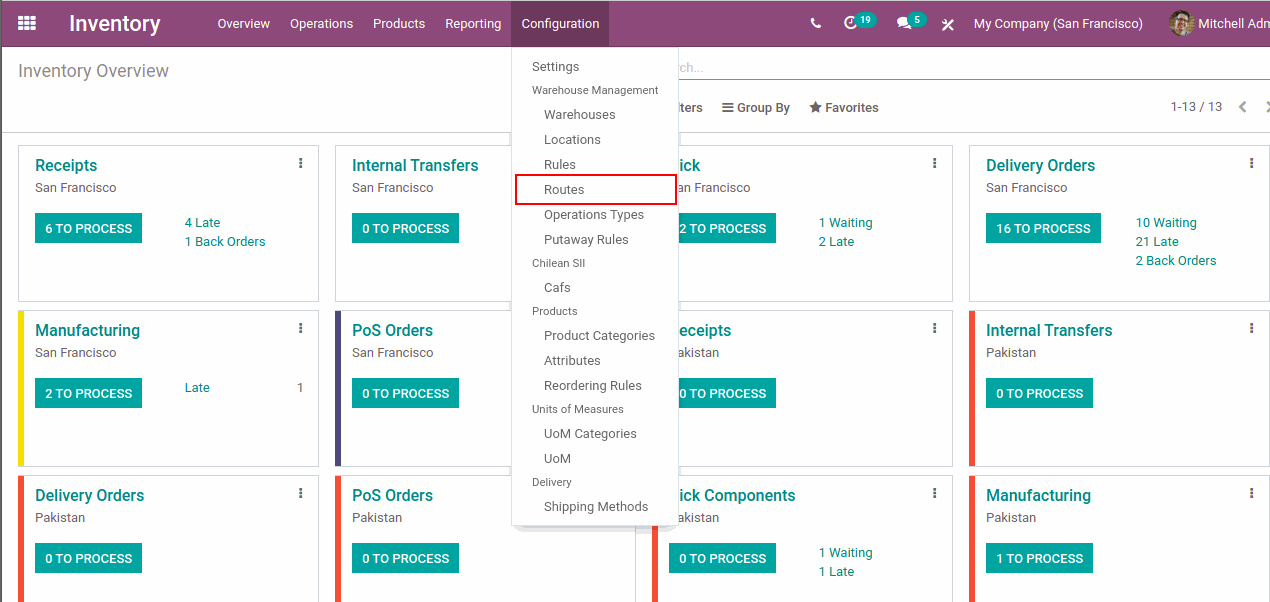
Now go to >Inventory >Configuration >Routes.
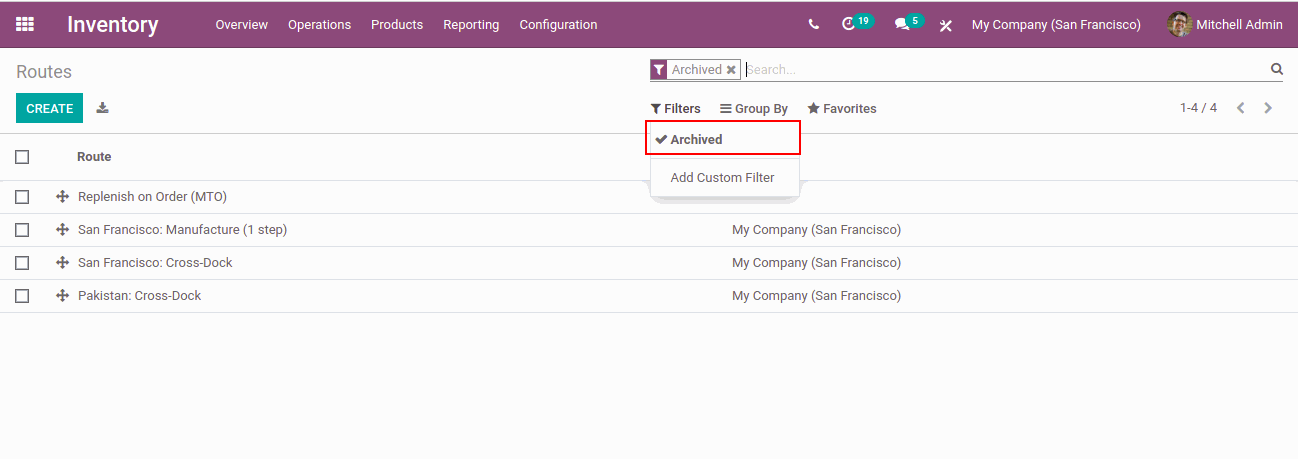
Filter the Archived. You can see Replenish on order(MTO) in the archived list.
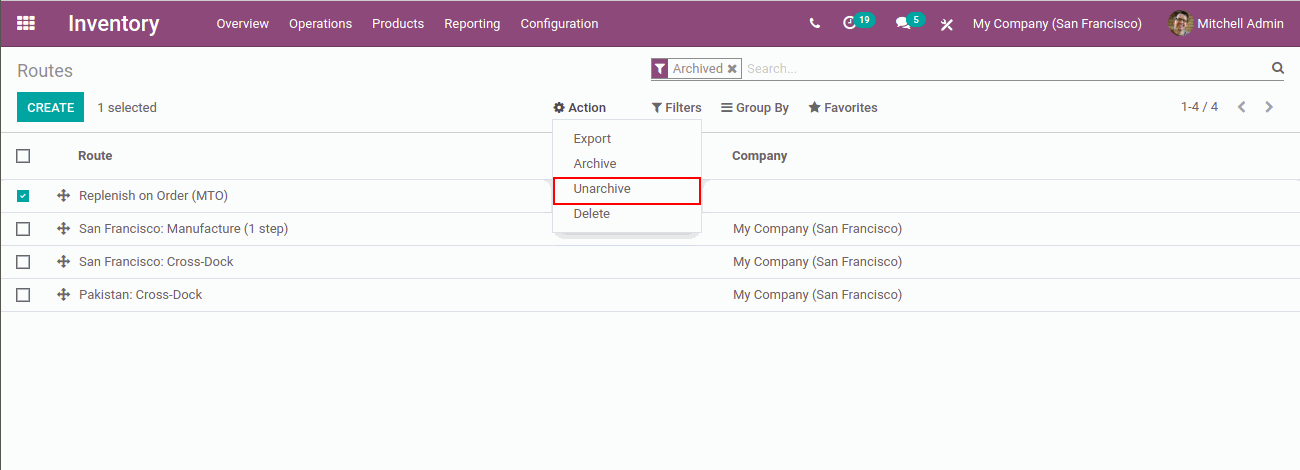
Select the MTO and go to >Action and select the option >Unarchive. Now the MTO is activated in Odoo.
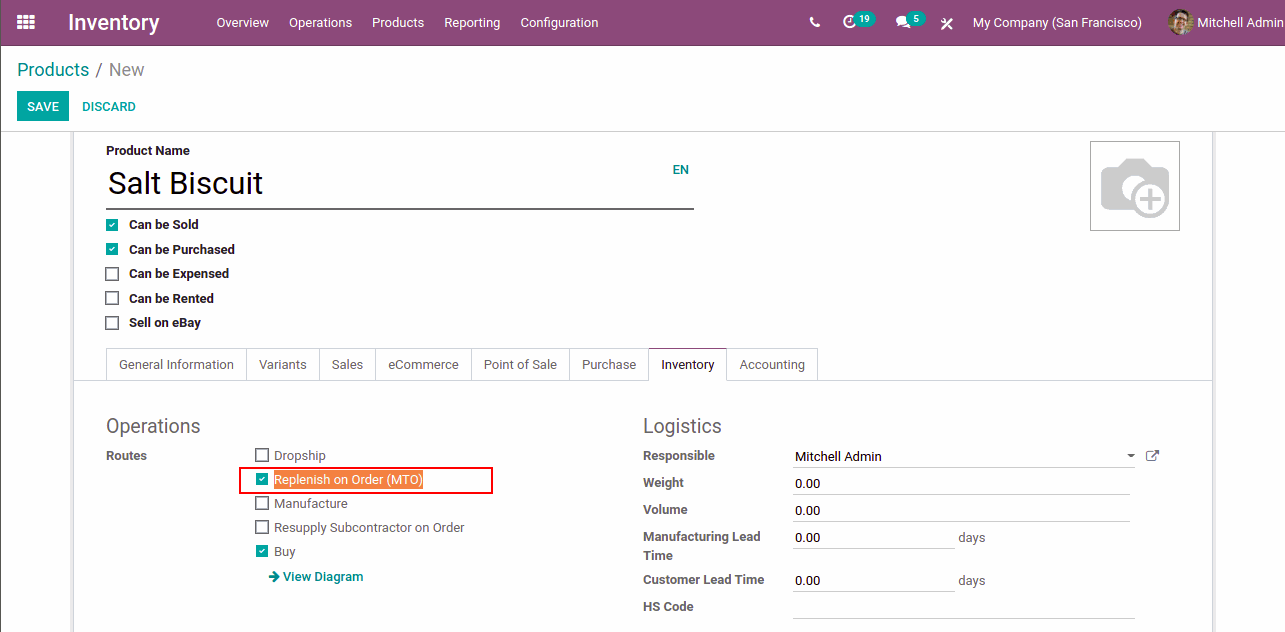
Now go to select a product, go to >Inventory tab. You can see the option Replenish on order(MTO).
Thank You, Have A Nice Day.!